How to Build a 24/7 AI Sales Assistant That Personalizes Every Outreach Automatically
Personalization isn't a tone you write in. It's a research step you automate — and once you do, every message sends before a human ever has to touch it.
Most sales outreach fails for a simple reason: it's generic. The email arrives and the prospect can tell in two seconds that nobody researched them, nobody thought about their situation, and the message could have gone to anyone. You delete it. So does everyone else.
Here's what most people miss: personalization isn't a tone you write in. It's a research step you automate.
The fix is building a system that does the research automatically, personalizes every message based on what it finds, and sends across email and SMS before a human ever has to touch it.
Here's how to build that system.
The core idea
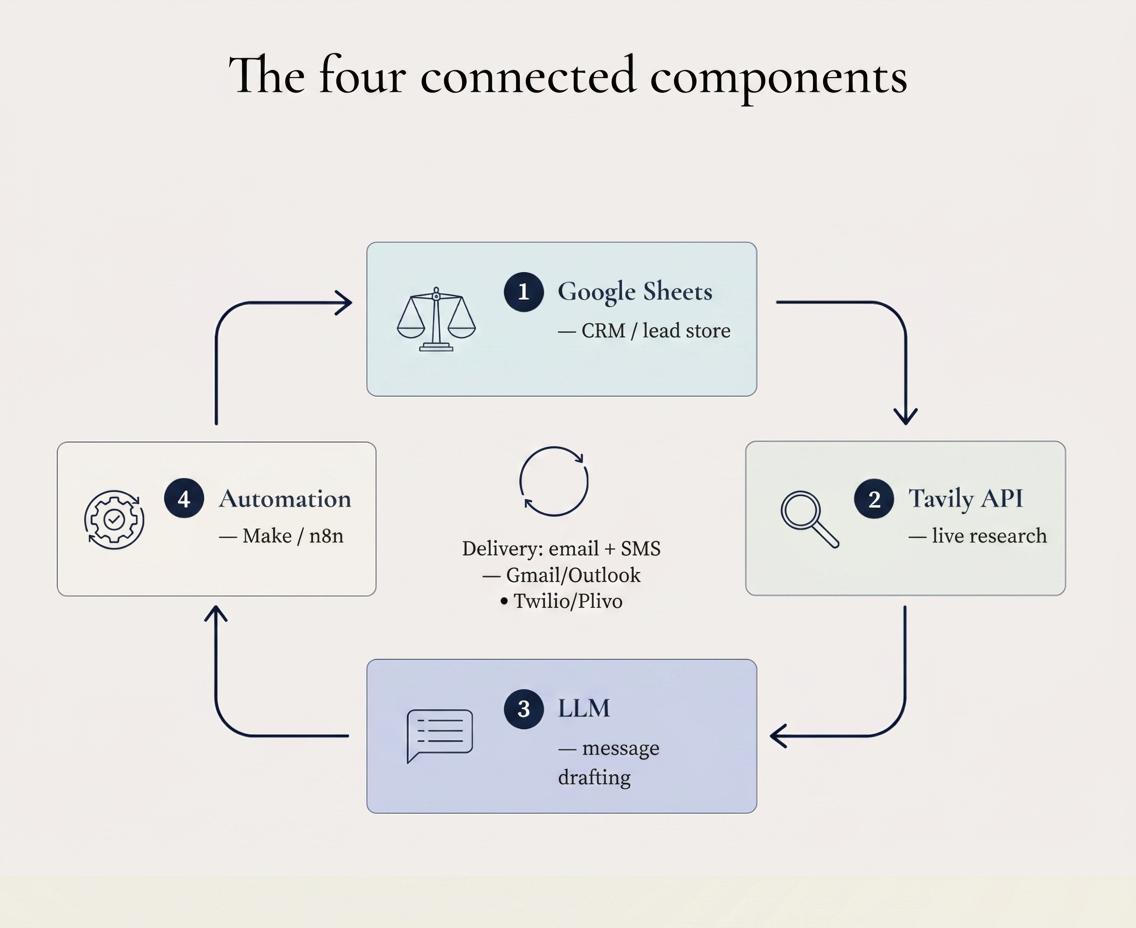
The workflow connects four things: a Google Sheets CRM that stores your leads, the Tavily API that researches each company in real time, GPT-4 that writes personalized messages based on that research, and an automation platform (Make.com, n8n, or Zapier) that wires it all together and handles delivery.
When a new lead enters your system, a webhook fires. By the time the lead's first touch is complete, they've received an email that references something specific about their company and an SMS that follows it up casually. The whole thing runs without anyone pressing a button.
Phase 1: Capturing leads and building the record
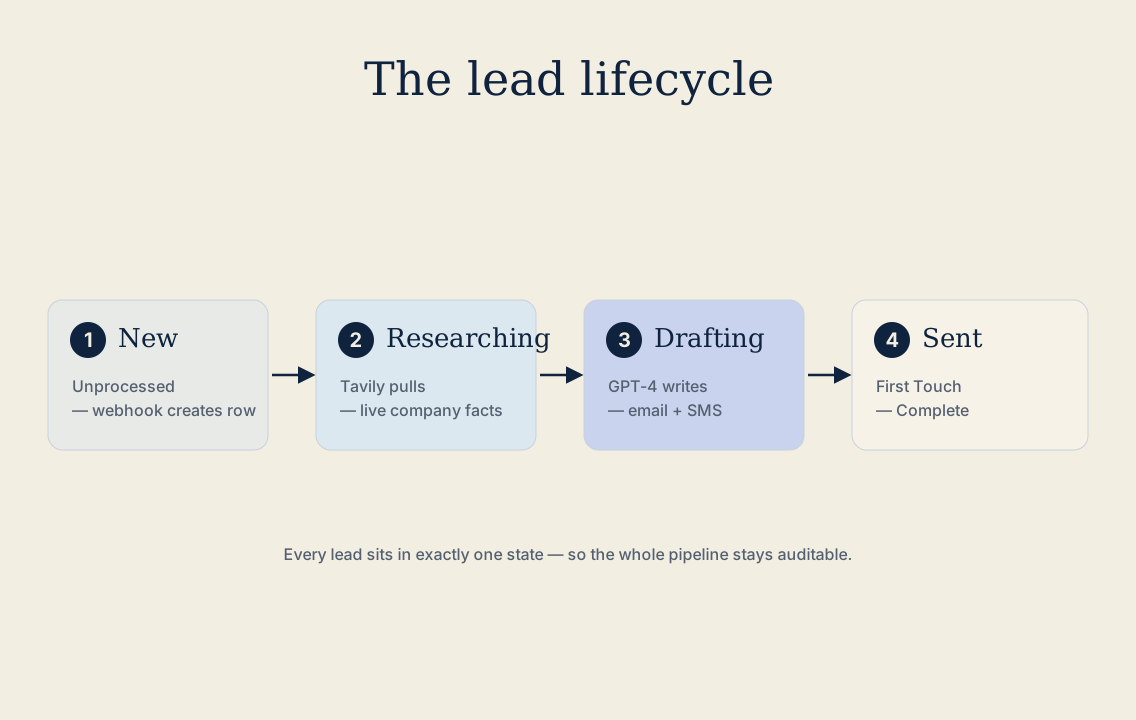
The workflow starts the moment a prospect fills out a form, clicks an ad, or lands on your website. A webhook captures the submission and appends a new row to your Google Sheets CRM with five fields: first name, email, phone, company name, and website URL. The lead's status gets set to New / Unprocessed.
That status field is what makes the whole system auditable. Every lead moves through defined states, so you always know exactly where each prospect stands and whether the automation completed successfully.
Phase 2: Researching the company automatically
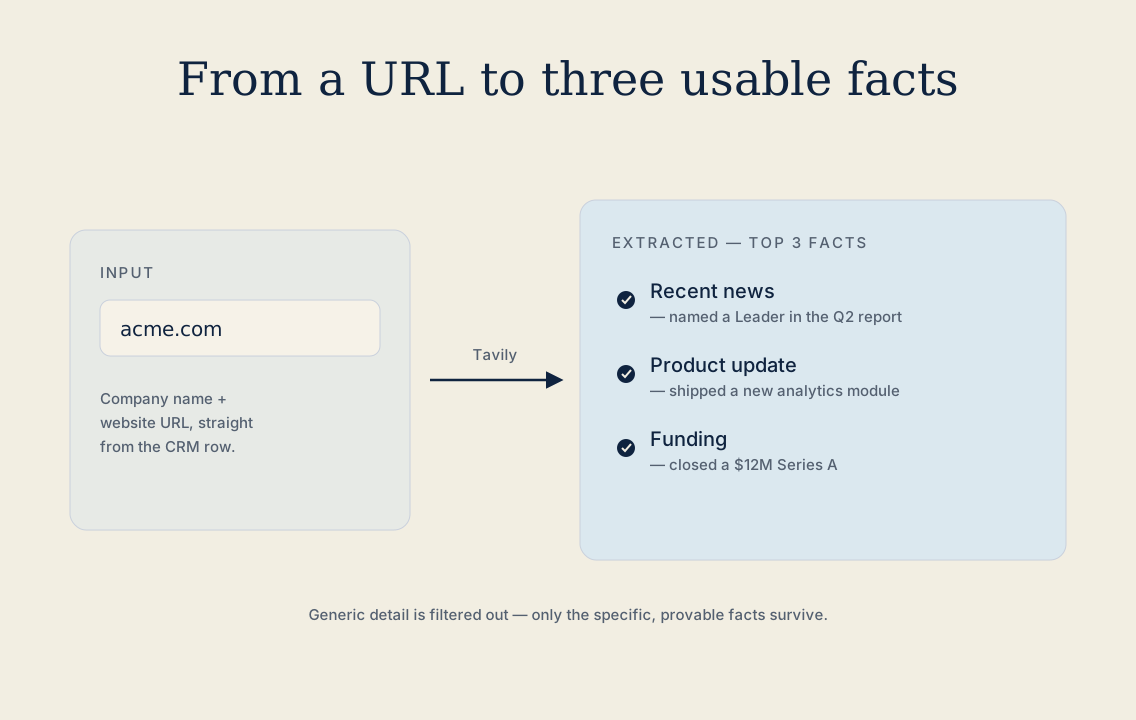
Before GPT-4 writes a single word, the system runs a Tavily API search against the lead's company name or website URL. Tavily is a search API built specifically for AI agents — it returns clean, structured results that are easy to parse and feed into a prompt.
The search looks for three things: recent news, product updates, and funding announcements. Those are the signals that tell you what's actually happening at the company right now. Once the JSON response comes back, the workflow extracts the top two or three relevant facts and filters out anything generic. You want the specific detail — the thing that proves you actually looked.
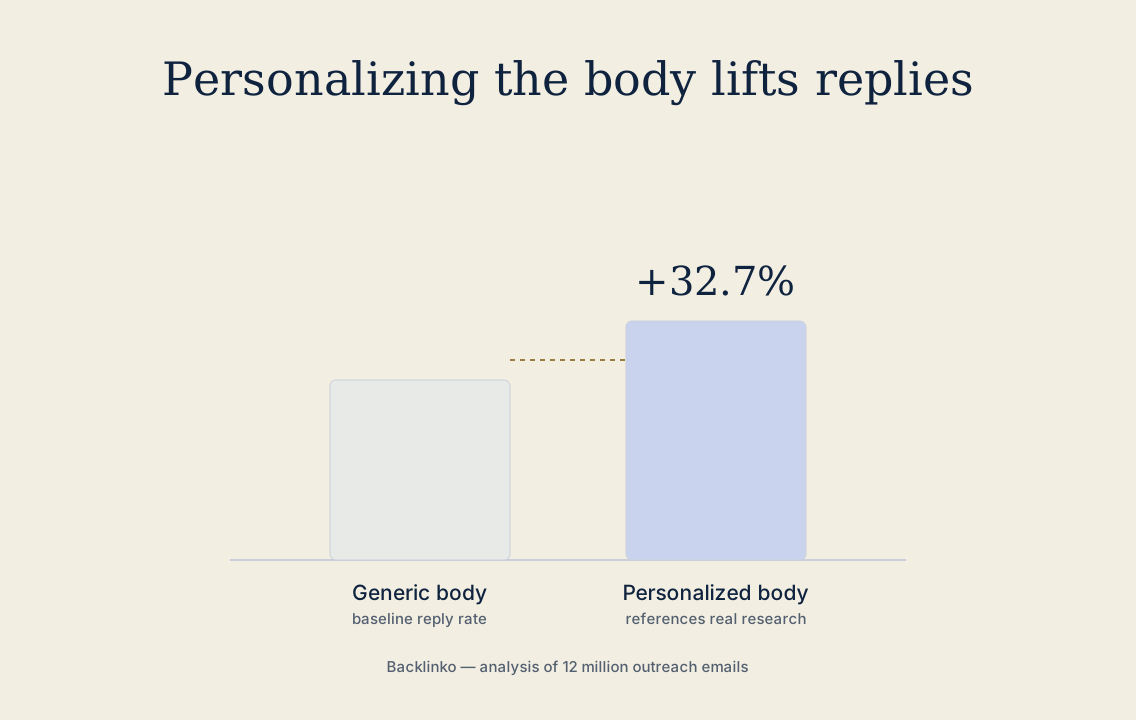
This is the step most people skip. They blast the same message to everyone and wonder why nobody replies. Backlinko's analysis of 12 million outreach emails found that personalizing the message body lifts reply rates by 32.7% (Backlinko). The research phase is what earns that lift.
Phase 3: Generating the messages
The research feeds directly into two separate GPT-4 agents: one for email, one for SMS.
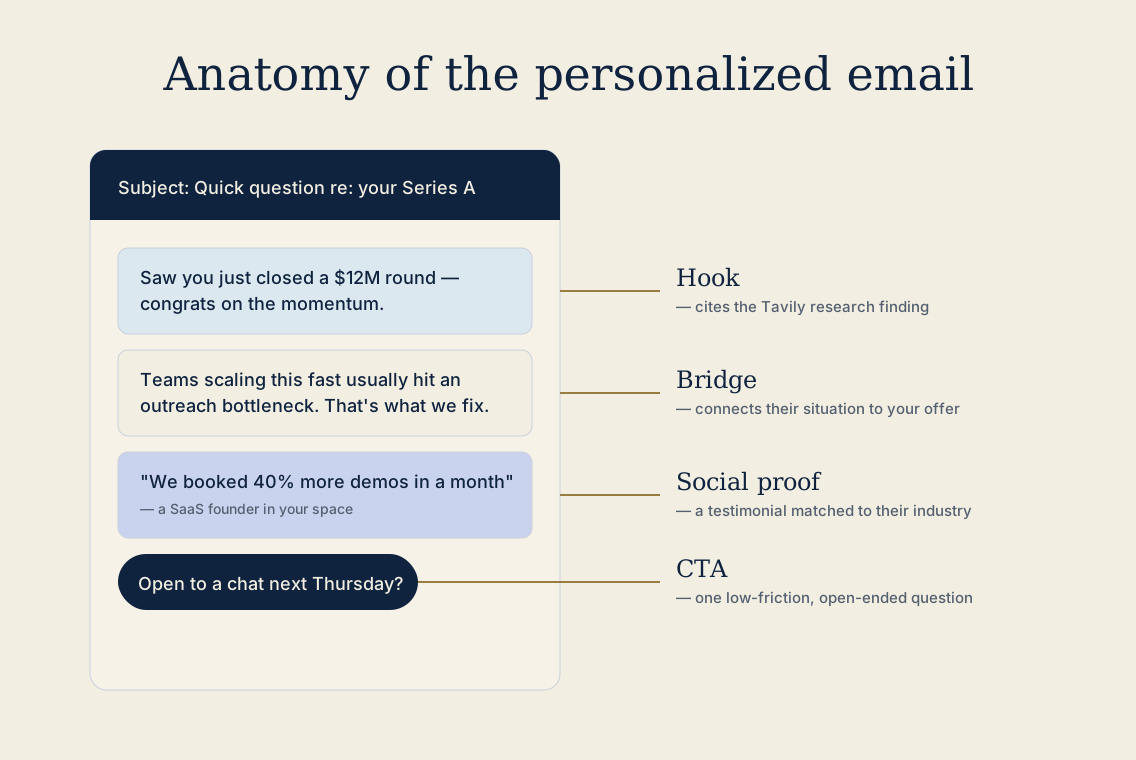
The email agent handles two outputs. First, the subject line. The goal here is curiosity without hype — something like "Quick question regarding [Research Topic]" or "[First Name] – thoughts on [Company Name]'s next step?" These work because they're specific. They don't sound like marketing. The prospect can't tell immediately whether this is automated or not, so they open it.
The email body follows a four-part structure: hook, contextual bridge, social proof, and a low-friction CTA. The hook references the Tavily research finding directly — that's what makes it feel personal. The bridge connects their current situation to what you offer. Social proof inserts a testimonial from your library that matches their industry or business model. The CTA ends with a simple, open-ended question: "Are you open to exploring this next Thursday?"
Set GPT-4's temperature to 0.4 for this. Higher temperatures produce more creative variation, but they also produce factual drift — the model starts inventing details. At 0.4, the output stays grounded in the research data you fed it.
The SMS agent writes something shorter and more casual. Under 160 characters keeps it as a single message and avoids the split-message formatting that makes texts look automated. The tone is conversational: "Hey [First Name], just sent over some data regarding your work with [Research Topic]. Let me know if that hits the mark!" Its only job is to acknowledge the email and invite a reply.
Phase 4: Routing and delivery
With both messages generated, the automation platform takes over. A router node splits the workflow into two parallel paths — email and SMS run simultaneously rather than sequentially, which matters when you're processing hundreds of leads.
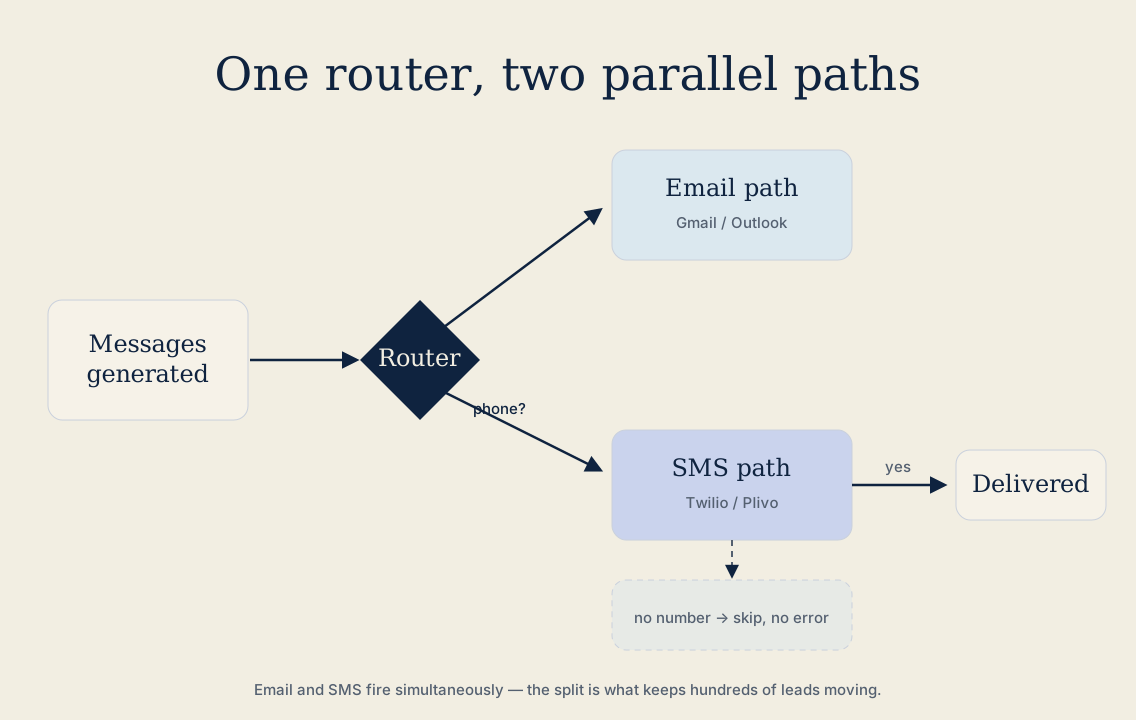
The SMS path includes a conditional filter: if no phone number is in the lead record, the SMS node skips rather than erroring out. Small thing, but critical for keeping your workflow reliable.
Both the email body and the SMS text get written back to the Google Sheet row before anything sends. That means your CRM always has a record of exactly what went out to each lead. After delivery, the lead status flips to First Touch Complete.
For sending, Gmail or Outlook handles email. Twilio or Plivo handles SMS. Both integrate cleanly with Make.com, n8n, and Zapier.
The safety controls worth building in
Two things will break this system if you ignore them.
The first is API rate limiting. Tavily and OpenAI both throttle heavy request volumes, and if your calls stack up too fast, you'll start seeing failures mid-workflow. A 2-minute delay between the Tavily call and the GPT-4 call gives both APIs room to breathe.
The second is compliance. Any channel that requires an unsubscribe option — email especially — needs that syntax appended automatically. Don't rely on remembering to add it manually. Build it into the template.
What this actually changes
The reason this system works isn't the technology. It's the logic behind it. Most automated outreach fails because it's optimized for volume instead of relevance. This workflow inverts that. Volume is still there — you can run hundreds of leads through it simultaneously — but every message is grounded in something real about the person receiving it.
That's the shift: from outreach that looks personalized to outreach that actually is.
Start with Phase 2. Point one Tavily search at your last ten leads and read what comes back — that single step is what everything else is built on. Wire that up first, then add the messaging and delivery around it.
Ready to make your business AI-proof?
We audit your operations, find the constraints, and build the systems that turn your assets into lasting advantages.
Work with us